


You blocked the scene. You have your shots. Now there's a place to feel them.
The Timeline is where your storyboard stops being a static plan and becomes something closer to the finished film. You're not rebuilding what's upstream — you're drilling in. Find the beats. Time the silences. Let a music cue land under a close-up. Play it back. Send it out for review.
No bouncing to another app. No re-importing anything. The assembly lives where the previs lives.
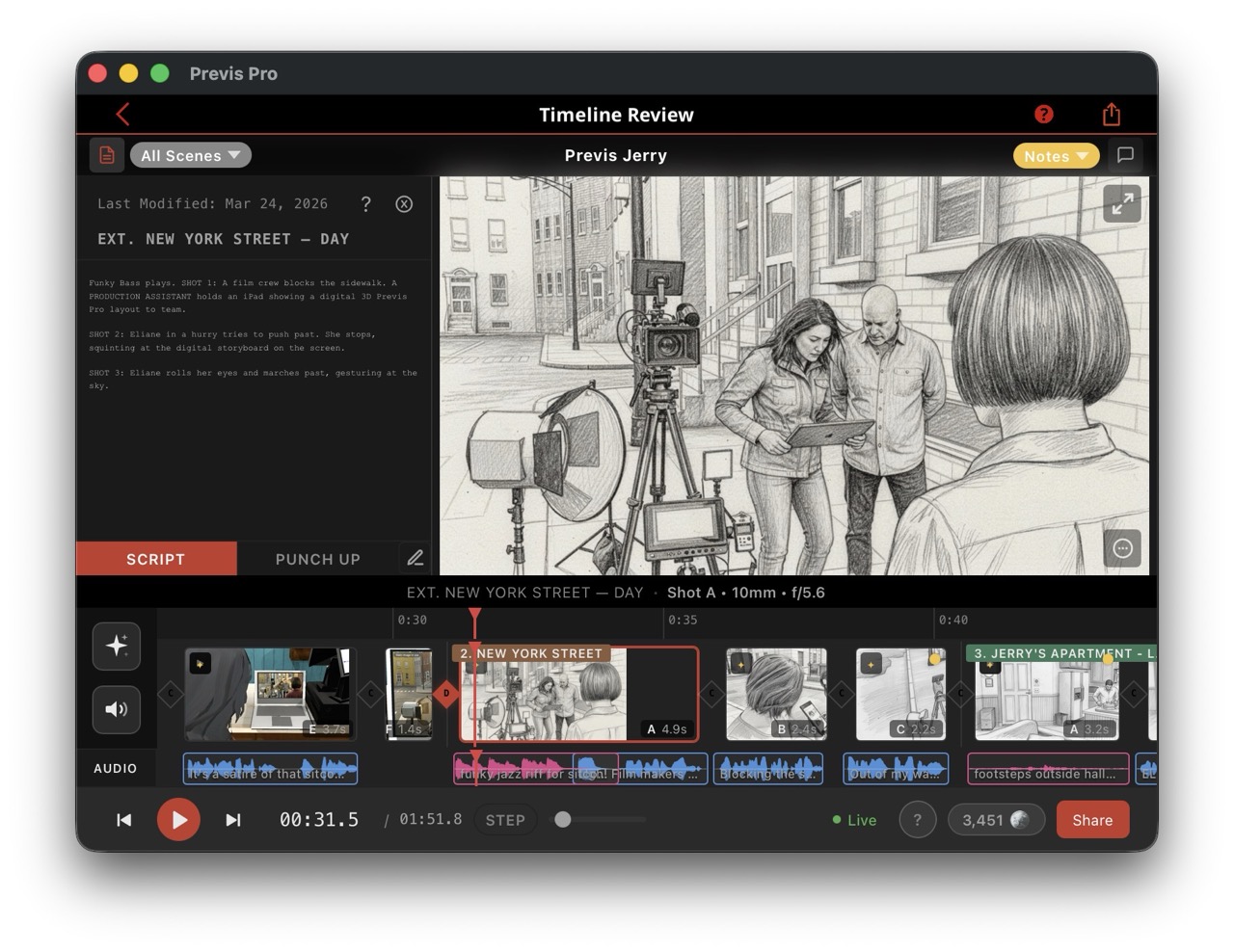
Four Audio Lanes, Made For the Cut
Drop your audio on four dedicated lanes — Dialogue, Music, SFX, and Voiceover. Each lane is color-coded and independently editable. Drag clips around, trim in and out, overlap them when you need to hear a music cue land under a line of dialogue.
Record, Import or Generate with the built-in speech, music, and SFX generation when you don't have assets yet.

Playback That Feels Like a Real NLE
Hit play and the timeline runs with audio in sync. Shuttle forward or back at 1×, 2×, or 4× — standard NLE shuttle control. If you've ever cut in Premiere, Resolve, or Avid, your muscle memory already knows what to do.

The Drill-Down
Your scene and shot structure comes from your shotlist, your storyboard — that's where you build the sequence, shot by shot. The Timeline is where you zoom in on how those shots actually interact and flow.
Stretch a shot to let a moment breathe. Crunch it for momentum. Drop a dissolve where two beats should bleed together, or let a cut land sharp where they shouldn't. Fade or dissolve between shots, or replace with AI generated videos that use your blocking and direction. Every adjustment is non-destructive. Your source shots stay clean in the Shot List.

Script Sync
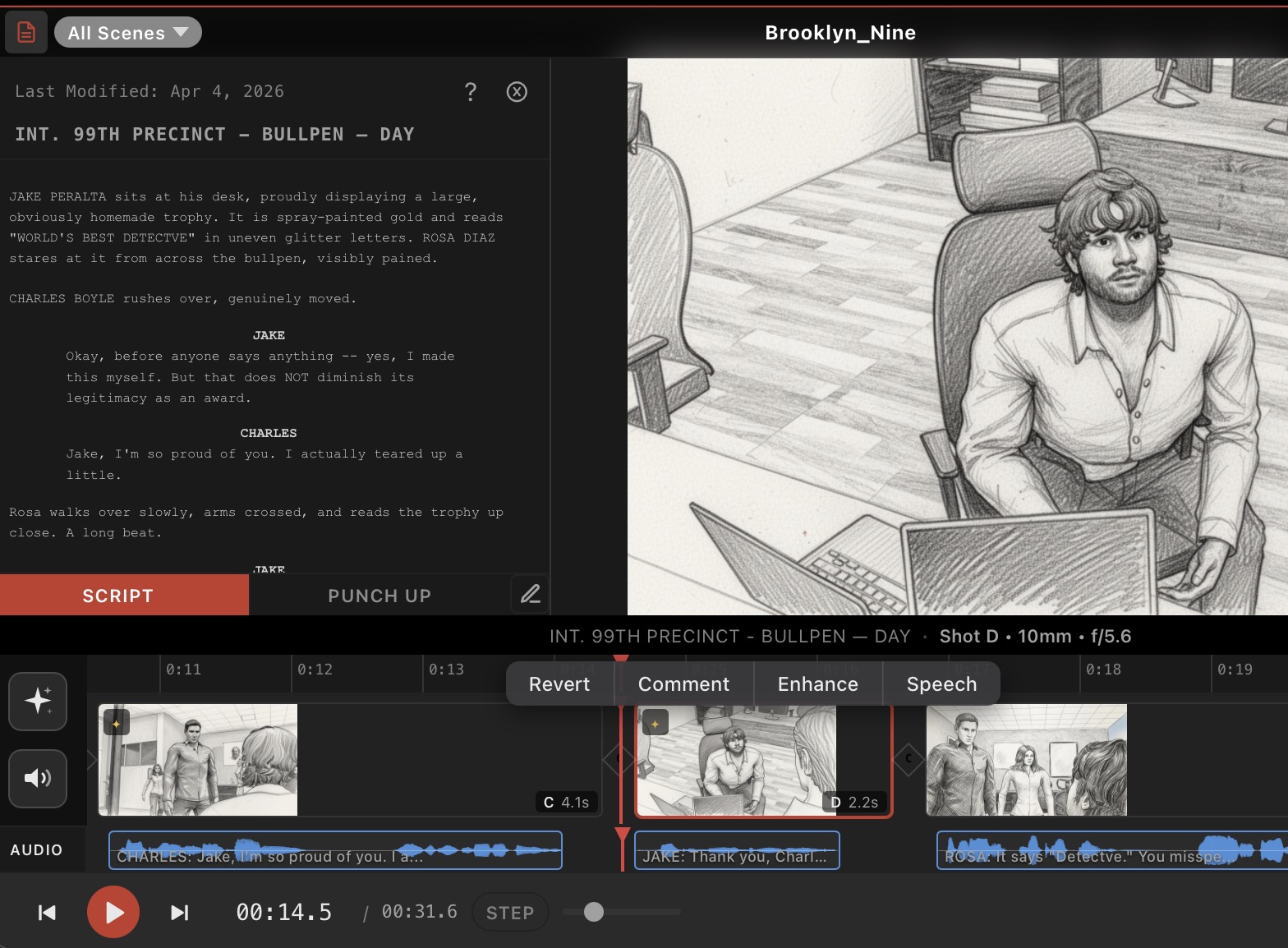
Your script plays with your video. When the playhead hits a shot linked to a dialogue line, the script highlights it. Jump to a different scene on the timeline, the script jumps with you.
Share It, Get It Approved
Publish the timeline to share.previspro.com as a password-protected review link. Your reviewers open it in a browser, watch the cut play back with audio, leave comments on specific shots, mark them up. Comments sync back into your project in Previs Pro.

Or continue to export the timeline as a file when you need one — PDF storyboard (Six-Up, Two-Up, Annotated, or Full layouts) for set. Individual frames export as JPEG or PNG, and now also as an MP4 with synchronized audio.
Why We Built It
Previs has always been about one question: What does this look like before we shoot it?
A blocking diagram gets you partway. A storyboard gets you further. But until you can actually watch the scene play back with its audio and its pacing, you don't really know if it works.
Previs Pro, for the first time in the industry, brings a full timeline that lives inside a previs tool, on a device you can bring to set, at a price that doesn't require a production company to afford. See Here.
Block it, cut it, watch it back. That's the whole loop.
We made this 100% inside Previs Pro. It's a bit of an inception. A woman in bar working on a movie, about a movie in pre-production working on a larger movie. Yeah, clear as day, check it out! Soup to nuts: 2 hours, length 2.5 minutes.
Available APRIL 2026
All the new features of the the Timeline are a free update for all subscribers. New users (and old!) get 150 free credits to play with the 3rd party generation tools (like NanoBanana 2, Seedance etc) inside the timeline.
Learn more here, or just open the app and tap the Timeline (clapper emoji).
🎬
Til next time,
Ian
Ian Lynch Smith, CEO
P.s. And as always, thank you for your continued support. If you’re new and at all curious, subscribe and give it a year. It will 100% save you time, and time is money, and money is... well, money. Previs Pro lets you iron out the kinks before you step foot on set. That means smoother productions, fewer surprises, and a lot less headache for everyone involved. Your crew will thank you.
Follow us on Instagram here