



You’ve written the words. You’ve visualized the shots. Now, we are removing the friction at both ends of your pipeline.
Previs Pro 3.4 is all about flow. We are introducing the new Screenplay Manager to bring your script directly into your 3D world, and a robust new NLE Export Pipeline to hand off your finished previs directly to editorial.
No more manual scene building. No more messy media relinking. Just pure, uninterrupted creative momentum.
The Screenplay Manager: Your Words, Visualized

The script changes. It always does. The Screenplay Manager is built to handle the realities of production. Import your screenplay directly into an existing project and watch as Previs Pro automates scene creation and cast population.
- Format Agnostic: Drop in your Screenplay in many formats, FinalDraft, Fountain, etc.
- Iterative Updates: When the new draft drops, just import it. Previs Pro automatically updates your cast lists and scene structure to match the latest script, while retaining all your existing production progress, layout, and animatics. No manual re-creation required.
- Visual Diffing: Visually compare drafts side-by-side. The manager highlights new, altered, or deleted scenes so you always know what changed.
- Locked Reference: Always keeps a locked reference to your last imported draft.
Ensure all departments are working from the most current story, while keeping all previous previsualization work completely intact.
Finish With Confidence: The NLE Export Pipeline
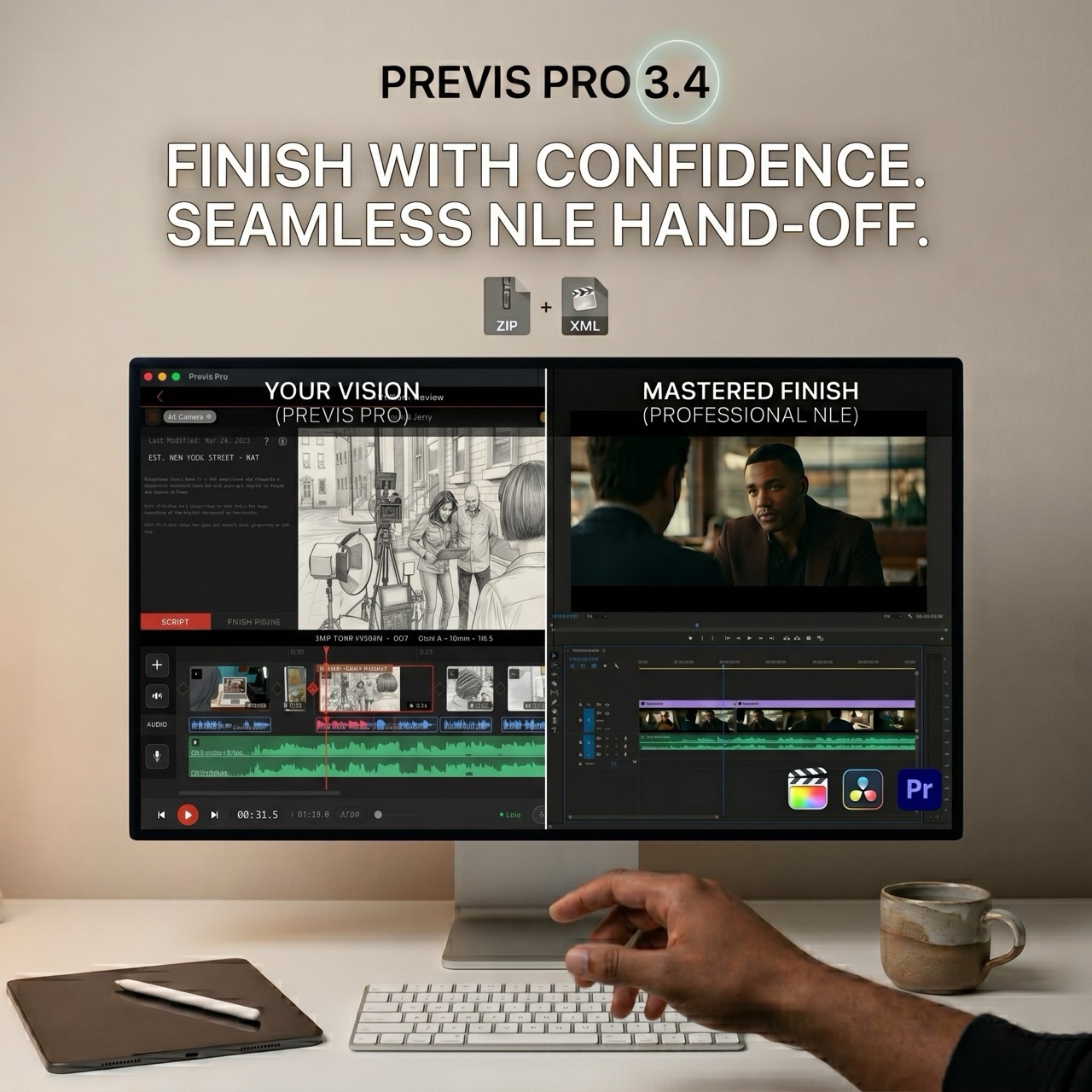
When your previs is cut and approved, it's time to hand it off to the editor. We’ve rebuilt the export pipeline so your timeline translates perfectly to professional NLEs.
Tap Export on the timeline's bottom shelf and choose the NLE tab (Power users: Cmd+E gets it done).
- The Complete Package: Produces a Final Cut Pro 7 XML (xmeml v5) project as a clean
.ziparchive. It contains the XML plus all referenced media in one place—still images, video clips, and audio. - Perfect Compatibility: Imports smoothly into Adobe Premiere Pro and DaVinci Resolve. (Avid Media Composer ingest is on the roadmap.)
- Intelligent Media Handling: Filenames are explicitly scene-qualified with shot-id disambiguators (e.g.,
1_A_2723.jpg). This specifically prevents DaVinci Resolve from auto-merging numerically adjacent files into unwanted image sequences. - Rich Audio Metadata: Audio formats (MP3, WAV, OGG, M4A, FLAC) are automatically detected from file headers and translated flawlessly into the XML's audio channel metadata.
Why We Built It
Previs sits precisely between the page and the final edit. For a long time, moving between those three stages required manual translation. You had to type scene headings into your previs app, and later, manually rebuild your previs timeline from scratch in Premiere.
With 3.4, we wanted to close that loop.
Write with clarity. Visualize with precision. Finish with confidence. The Screenplay Manager brings the story in, and the NLE Export sends the vision out. An effortless hand-off that just works.
Available NOW
All the new features in 3.4 are available today as a free update for all subscribers.
Learn more on our Wiki, or just open the app, head to the new Script tab, and start building.
🎬
Til next time,
Ian
Ian Lynch Smith, CEO
P.S. And as always, thank you for your continued support. If you’re new and at all curious, subscribe and give it a year. Bringing your script directly into 3D, composing perfect shots, and handing an XML off to editorial will 100% save you time, and time is money. Previs Pro lets you iron out the kinks before you step foot on set. Your post-production team will thank you.